Update agent configuration
You can initiate an update of the agent configuration from various locations in the DriveLock Operations Center (DOC), the DriveLock Management Console (DMC) or directly on the DriveLock Agent. When you do so, the policies assigned to the agent are updated. This is useful if you have made changes to your policies and want to apply them to the agent quickly.
-
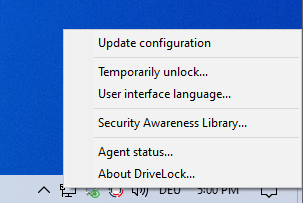
On the DriveLock Agent via the DriveLock taskbar icon and the menu command Update configuration.
-
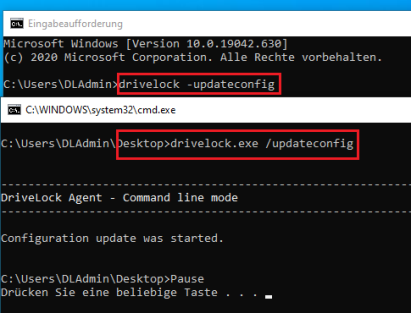
Manually on the DriveLock Agent via the command line.
-
In the DriveLock Management Console (DMC) via the Agent remote control and the Update policy button.
-
In the DriveLock Operations Center (DOC) via Inventory -> Computer, select the computer whose configuration you want to update and then Update configuration/policy.
