Permissions for users and groups
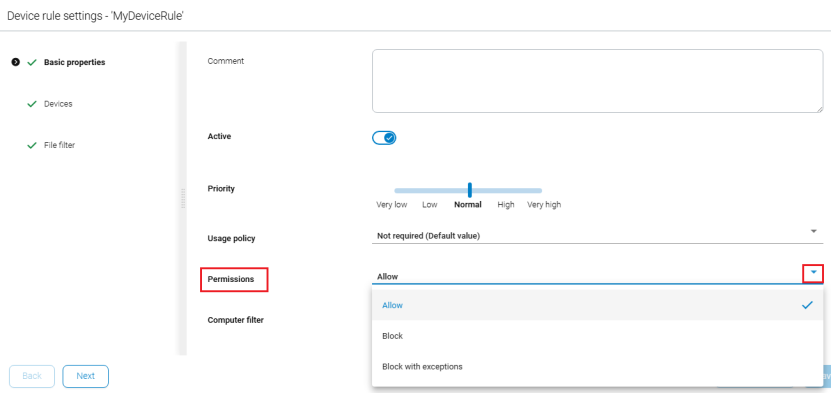
In the DriveLock Operations Center (DOC), this is the Permissions setting in device or drive rules.
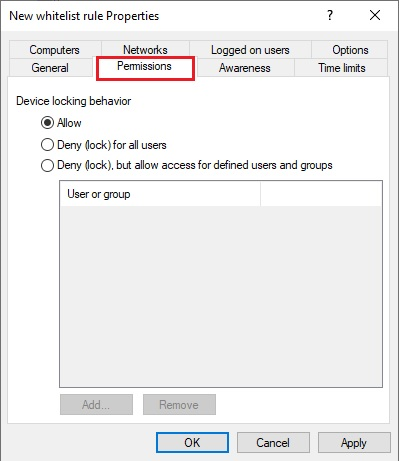
In the DriveLock Management Console (DMC), open the Permissions tab to define the users or groups that have permission to access a drive, device or application.
The following options are available:
-
Allow: Any authenticated user can use this drive or device.
-
Deny (lock) for all users - in DOC: Block: Access to this drive or device is blocked for all users.
-
Deny (lock), but allow access for defined users and groups - in DOC: Block with exceptions: The drive or device is locked, but access is possible for the specified user(s) or group(s), either read-only or also write access.
To include another group or user in the list, click Add. Click Remove to delete the previously selected entry. Specify for the user or group whether they can copy data to the drive or whether read-only access is allowed.