Enable Self-Service wizard
The Self-Service wizard is not offered to end users by default. You can enable this option in a policy at the following locations:
-
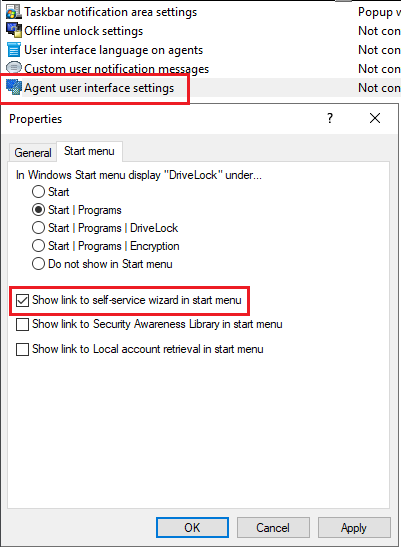
In the agent user interface settings on the Start menu tab: Show link to self-service wizard in start menu.
-
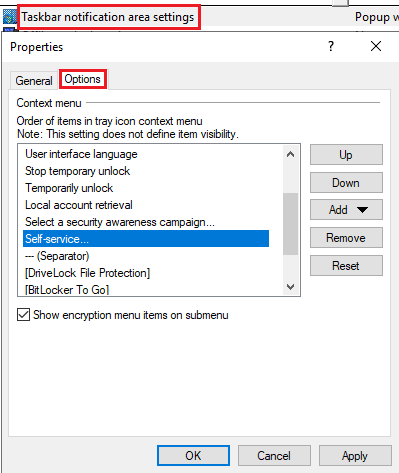
In the Taskbar notification area settings on the Options tab. Add Self-Service... and place the entry where you want it.
-
You can also set up the self-service wizard to start as soon as a usage policy is applied. You can find out more here.