Widget caching
To improve system performance, the data in dashboard widgets is now cached by default. This reduces the number of database accesses and speeds up the display.
Functionality
-
Caching logic: The widget data is determined the first time it is called up and temporarily stored in the tenant cache for a defined time (default: 300 seconds). When called up again within this period, the cached values are displayed.
-
Force refresh: Clicking the Refresh button of an individual widget or the Refresh dashboard function ignores the cache and retrieves the data directly from the database.
-
Note on data accuracy: Each widget displays a tooltip indicating how old the currently displayed data is (time since last update).
Settings
-
Global setting per tenant:
The Enable widget caching setting controls whether widgets are allowed to access data from the tenant cache. It is available in the backend under the global tenant settings (only available for supervisors).
-
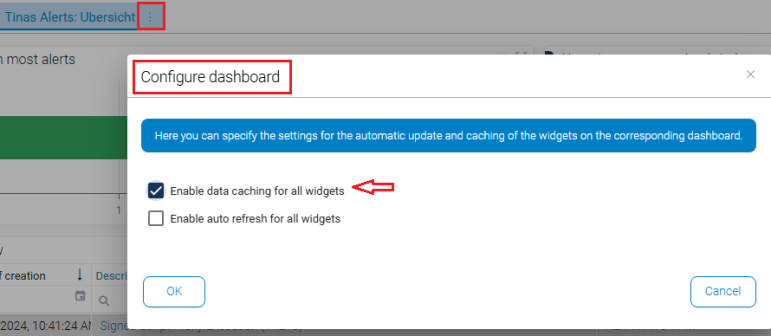
Per-tab control:
Users who always want to see the latest live data can disable caching for individual dashboard tabs. This setting only affects the user's personal view. This means that individual dashboards can be permanently powered by live data if required, regardless of the global cache settings.