Adding computers or users to groups in the DOC
In the Inventory area, within the Computers or Users view, you can now select multiple entries and add them directly to a new group.
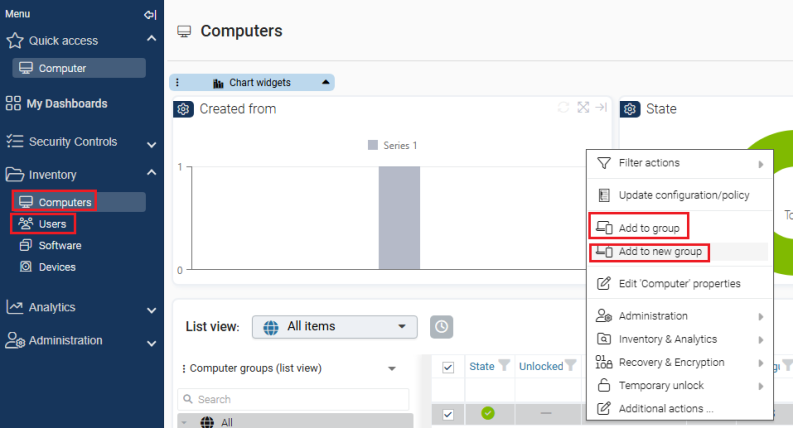
To do so, select your choice, open the context menu (right mouse button) or the toolbar and click on Add to new group.
In the dialog that appears, enter the name and an optional description of the new group. The newly created group then appears in the group structure below the existing groups.
This function is available for both computer groups and user groups.