Device classes in the DOC
Open DOC -> Security Controls -> Devices -> Configuration -> Device classes.
Starting with version 2024.1, you can also generally block or allow device classes within the DOC. In contrast to the policy editor in the DMC, the DOC treats Apple devices as devices.
If you cannot find your device class in the list, you can create a customized device class for it. The advantage of this is that COM and LPT ports can be controlled as a device class. It is also easier to use device collections with different device classes.
As of version 2025.2, user-defined device classes (including COM interfaces) can also be temporarily unlocked.
-
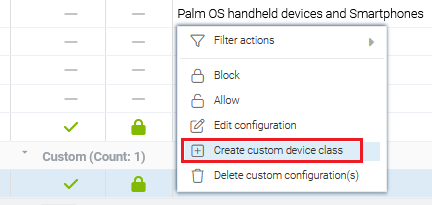
Select the menu command Create custom device class.
-
Enter a name and enter the device ID of the Windows device class.
-
Optionally, you can configure additional settings.